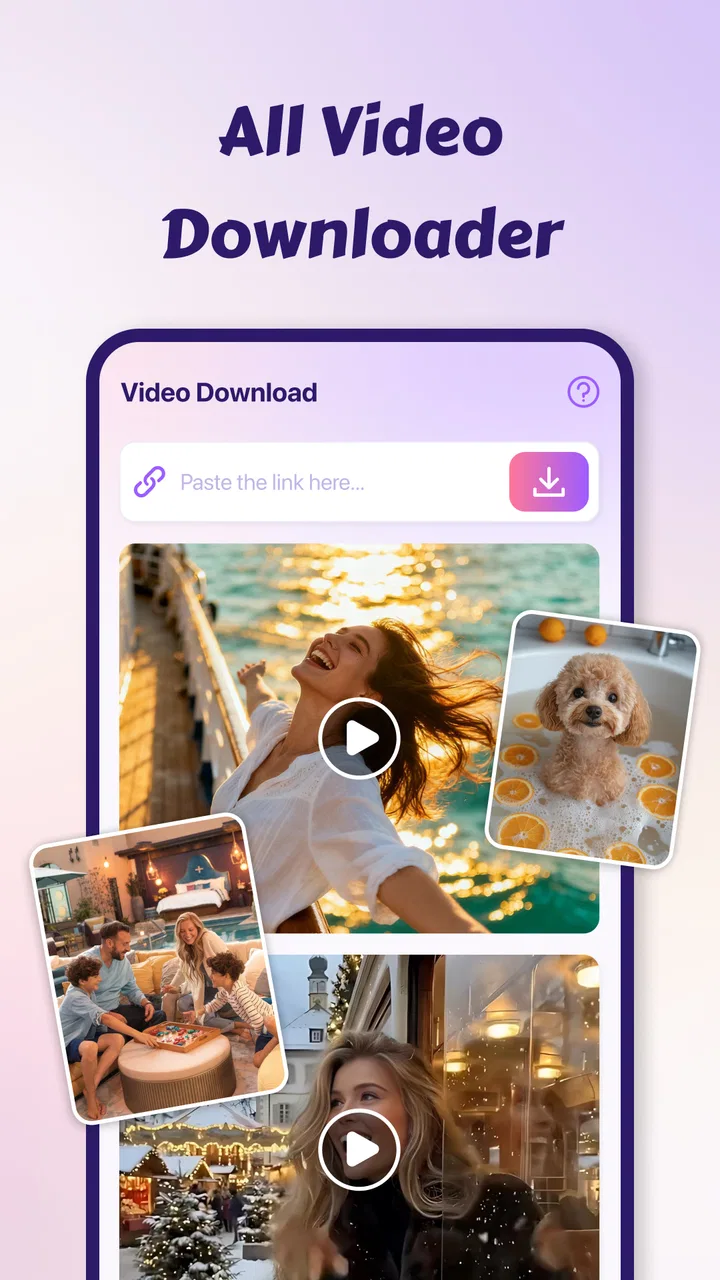
Video Downloader-HD Download
- 0.0
- Rating
- 50.00K
- Installs
- Free
- Price

 Analysis by App-foxy
Video Downloader-HD Download is the kind of app I would look at when my main concern is handling video quickly on a phone rather than managing a full media library. It belongs to the video players and editors category, comes from Saeta Tech Ltd., and is offered as a free app for everyone. Its central promise is straightforward: play a wide range of video files, including high-definition and 4K material, while also providing downloading tools. In daily use, that combination makes the app more interesting than a basic player, but it also means the quality of the experience depends heavily on how you use your connection and how much control you expect over downloaded content.
The current release is version 1.2.0, and it is designed for devices running Android 8.0 or later. The app has passed the early adoption stage with over fifty thousand installs, although its average rating is currently zero, so there is not yet a meaningful public rating signal to rely on. That makes hands-on expectations especially important. I would not install it simply because it says “HD” or “4K”; I would install it if I wanted one place to try video playback and downloading without paying an upfront fee.
How the app feels when the network is doing the work
The most important distinction here is between playing a video already available on the phone and downloading something through an internet connection. Those activities can feel similar in the interface, but they place very different demands on the device and network. A local video player can remain useful when reception is poor, while a downloader has to wait for a source, maintain a transfer, and save the result correctly. I found that this difference should shape how you judge the app: its usefulness is not only about playback quality, but also about whether your connection is reliable enough for the task you have in mind.
You May Also Like

 Blood Strike: 2.5 Anniversary
Blood Strike’s Loadouts Turn Every Drop Into a Tactical Gamble
A close look at Blood Strike’s custom loadouts: how fast access to signature weapons reshapes its battle royale rhythm, rewards preparation, and narrows the gap between fights.

 Pandora - Music & Podcasts
Pandora’s Music Is Easy to Start, but Harder to Recover
Pandora’s strength is its low-effort path from a seed to a station. Its weak spot is how much confidence it asks you to place in connection, setup, and quiet recovery.

 8 Ball Pool
 Is Built on Rivalries, Rematches, and Routine
A close look at the rivalries, rematches, shared routines, and unanswered safety questions that turn a quick pool match into a persistent mobile community.

 Samsung Music
’s Quiet Strength Is Playing What You Already Own
Its reach comes less from spectacle than from dependable access to a personal library. That simplicity is both the app’s strongest retention engine and its ceiling.

 AccuWeather: Weather Radar
AccuWeather Review: A Quick, Clear Forecast for Everyday Decisions
For everyday plans, the best forecast is the one you can understand quickly. AccuWeather makes rain timing, radar, and local conditions easy to act on, with a few trade-offs.

 Hill Climb Racing
Why Hill Climb Racing Still Turns Crashes Into One More Run
A tiny car, a bumpy hill and one more upgrade: Hill Climb Racing keeps resurfacing because its simple chaos makes every near-miss feel personal.
More From Our News Desk
View All News


For a strong connection, the appeal is easy to understand. A larger, sharper video benefits from a player that can keep motion smooth instead of forcing you to convert the file first. The app’s focus on fast playback and 4K handling is therefore most relevant to people who already keep high-resolution clips on their phones or regularly receive large videos from other sources. It is less meaningful if nearly everything you watch is compressed social media content, where the original file quality may be the limiting factor rather than the player.
Downloading is where I would be more deliberate. A download can consume a lot more data than a short stream, and a high-resolution file can occupy storage quickly. Before starting one, I would check whether I am on a dependable Wi-Fi connection, confirm that the phone has enough free space, and avoid beginning a large transfer just before leaving home. That simple routine matters more than the word “fast” in the description. A quick connection can still produce an inconvenient result if the file is too large for the remaining storage.
There is also a practical question about source behavior. A downloader is not automatically a universal solution for every website or every protected video. I would treat the feature as a tool for compatible content and avoid assuming that any online video can be saved. That expectation keeps the experience realistic and prevents the common frustration of blaming the app when the source itself restricts downloading or uses a format the app cannot process.
A useful separation between streaming habits and local playback
One of the more useful ways to approach this app is to separate the moment of obtaining a video from the moment of watching it. If I am connected and actively looking for a file, the downloader is the relevant part. Once a file is on the device, the player becomes the reason to keep the app installed. This separation helps with troubleshooting too: if a transfer fails, I look first at the connection and source; if an existing file stutters, I look at the file format, resolution, and device performance instead.
That workflow is more practical than expecting one button to solve every video problem. I would use the app as a flexible video utility, not as a replacement for every streaming service or every editing application. It is positioned in the players and editors category, but the available description points much more clearly toward playback and downloading than toward a full timeline editor. Anyone seeking trimming, captions, transitions, or detailed color controls should choose a dedicated editor instead.
Where it fits into everyday mobile use
The app makes the most sense in mobile situations where video access and video playback happen close together. Imagine receiving a large clip while commuting, then wanting to check it immediately without opening several different tools. A combined player and downloader can reduce that switching. I would still postpone a substantial download until I had a stable connection, but I could use the playback side to inspect a file and decide whether it is worth keeping.
Another realistic case is preparing a small collection of clips before a trip or a long day away from a dependable connection. The important nuance is that downloading in advance does not by itself guarantee that every file will behave perfectly later. The file still needs to be saved successfully, remain accessible to the player, and fit the phone’s storage. I would test a particularly important video after obtaining it rather than discovering a playback problem when I need it.
For people who exchange videos between phones, the broad-format focus may also be useful. Different cameras, messaging apps, and computers can produce files that do not behave consistently in the default player. A separate player gives you another option before resorting to conversion. In my view, this is one of the stronger reasons to try the app: it can serve as a compatibility fallback when the built-in player is too limited.
On the other hand, I would skip it if my phone is older, nearly full, or mainly used on a restricted mobile plan. High-definition playback can put more pressure on battery, storage, and processing than ordinary clips. The minimum operating-system requirement of Android 8.0 is reasonable for compatibility, but meeting that requirement does not mean every older device will provide an equally comfortable 4K experience.
Small habits that make mobile use less frustrating
I would keep the download workflow intentional rather than tapping every available video. Give files clear names when the app allows it, remove failed or duplicate transfers, and review storage after handling several large clips. These are simple habits, but they prevent a downloader from becoming a hidden source of clutter. They also make it easier to identify whether a problem is caused by the app, the source file, or a lack of space.
For travel, I would prepare only the clips I genuinely expect to watch and test them before leaving a reliable connection. For work or study, I would keep the original source and any downloaded copy organized separately, especially if the video matters later. For casual viewing, I would favor smaller files when a high-resolution version does not add visible value on the phone’s screen. The best result is not always the sharpest file; it is the file that balances clarity, storage, battery, and transfer time.
These trade-offs are where a general-purpose downloader differs from a polished streaming service. Streaming platforms usually manage quality and buffering behind the scenes, while a downloader gives you more responsibility. That can be an advantage for users who want direct control, but it can feel like extra work for someone who expects a simple watch-now experience.
What happens when a transfer or video goes wrong
Connectivity problems are unavoidable, so recovery matters more than a perfect first attempt. If a download appears stuck, I would first check whether other apps can reach the internet, then confirm that the source is still available and that the phone has enough storage. Repeating the same tap without checking those conditions rarely helps. A failed transfer may be a network interruption, a source restriction, an unsupported format, or a storage issue, and each cause needs a different response.
I would also avoid starting several large downloads at once on a weak mobile connection. Parallel transfers can make the situation harder to diagnose and may leave several incomplete files behind. One-at-a-time downloading is slower in theory, but it gives a clearer recovery path: identify the failed item, retry it under better conditions, and verify the saved result before moving on.
Playback failures deserve the same structured approach. If one file will not open, I would try another video first. If other files play normally, the issue is probably specific to the original file or its encoding rather than the entire app. If high-resolution clips struggle while smaller ones work, the phone may simply be reaching its performance limits. This is an important distinction because a video player can support a format in principle while a particular handset still struggles with a demanding file.
When comparing this app with the default Android player, I see the main advantage as flexibility rather than guaranteed perfection. The built-in player is convenient and already familiar, but it may not be enough for unusual files or a combined download workflow. A dedicated downloader can offer a more purposeful path for obtaining content, yet it also introduces more points where a connection, source, or storage constraint can interfere.
How I would recover without wasting mobile data
If a transfer fails after consuming part of a file, I would avoid immediately repeating it over cellular data. I would wait for Wi-Fi, inspect whether a partial file was left behind, and remove unusable duplicates if necessary. I would also avoid repeatedly testing the same unavailable source, because each attempt can waste time and data without changing the underlying limitation.
For a video that plays with stutter, I would close demanding background apps, try a lower-resolution copy if one is available, and compare the behavior with a short local clip. That tells me whether the issue is general device load or something unique to the file. I would not assume that 4K playback is the right target simply because the app advertises support for it. On a small phone screen, a well-encoded lower-resolution file may be the more sensible choice.
This is also where I would prefer a specialized alternative in some cases. If my priority were dependable streaming with automatic buffering, an established streaming service would probably be easier. If my priority were advanced file management, a dedicated file manager might give me clearer organization. If I needed editing, a proper video editor would be the better tool. Video Downloader-HD Download is most convincing when the job combines basic playback with obtaining compatible video files.
Using it without letting data and storage disappear
The free price makes trying the app easy, but free does not mean cost-free in everyday use. Network data, storage space, battery, and time all become part of the decision. The app includes in-app purchases ranging from $4.99 to $39.99 per item, so I would review any purchase screen carefully before confirming anything. For a casual user, the free starting point may be enough to judge whether the workflow fits. For a frequent downloader, the value depends on what those optional purchases unlock and whether those additions solve a real problem.
I would be particularly cautious with mobile data. A short clip and a high-resolution movie-sized file are completely different commitments, even if they appear in the same download list. Use Wi-Fi for large transfers whenever possible, and treat cellular downloading as an exception rather than the default. If the app offers any quality choices during a download, I would select the lowest quality that remains comfortable to watch instead of automatically choosing the largest version.
Storage deserves equal attention. High-resolution videos are easy to keep and easy to forget. I would create a habit of checking the download folder after watching, deleting files that were only needed temporarily, and keeping important clips backed up through a separate method if they matter. A player can make a file accessible, but it cannot replace a clear storage strategy.
Battery use is another reason to plan. Downloading and playing demanding video at the same time can be harder on a phone than either activity alone. For a long session, I would download first, let the device settle, and watch later rather than making the phone maintain a transfer while decoding high-resolution video. That workflow is not glamorous, but it is more reliable and easier on a mobile device.
Who should choose it and who should look elsewhere
I would recommend giving this app a chance to someone who wants a free Android utility for testing different video files, playing high-definition content, and managing compatible downloads in one place. It is also a reasonable fallback when the default player refuses a file that should be playable. The minimum Android 8.0 requirement keeps the target audience broad enough for many existing devices, while the everyone age rating makes it approachable for general use.
I would be less enthusiastic for someone who wants a completely managed media experience. Users who dislike checking storage, monitoring data, or dealing with source-specific download limits may prefer ordinary streaming apps. I would also steer professional editors toward software built around cutting and arranging footage, since a player/downloader focus is not the same as a full editing suite.
The app’s audience size, with more than fifty thousand installs, suggests that it has reached a meaningful group of Android users, but the zero average rating gives me no useful community consensus yet. I would therefore judge it through a practical trial: test a few local files, try a modest download on a stable connection, and observe how clearly the app handles the resulting files. That is a more honest basis for deciding than treating the install count as proof of quality.
My connectivity verdict
My overall view is cautiously positive. Video Downloader-HD Download has a clear place for people who want a free combination of video playback and downloading, especially when the phone’s default tools are not enough. Its HD and 4K focus is valuable for suitable files and capable devices, but it should not be mistaken for a guarantee that every source, network, or handset will behave perfectly.
The strongest approach is to use it deliberately: obtain videos on a dependable connection, choose quality with storage and data in mind, test important files before relying on them, and treat playback problems as something to diagnose rather than blindly retry. That makes the app more useful in real mobile life and avoids its biggest potential frustrations.
I would install it as a practical secondary video tool, not as the only app I depend on for every kind of media. If your needs center on compatible downloads and flexible playback, it is worth exploring. If you mainly want effortless streaming, advanced editing, or a fully automated library, a more specialized alternative will likely serve you better. The real strength here is control, while the real trade-off is that connectivity, storage, and file compatibility remain your responsibility.
FAQs for Video Downloader-HD Download
01What is Video Downloader-HD Download and how does it work?
Video Downloader-HD Download is an app designed to help users download high-definition videos from various online platforms directly to their devices. Once installed, users can browse supported websites within the app and click the download button next to the video they wish to save. The app then downloads the video in the highest possible quality available.
02Is Video Downloader-HD Download safe and legal to use?
While Video Downloader-HD Download is safe in terms of malware and viruses, users should be cautious about the legal implications of downloading copyrighted content. The app itself is legal, but downloading videos without permission from the content owner may violate terms of service or copyright laws. Always ensure you have the right to download the content.
03What platforms are supported by Video Downloader-HD Download?
Video Downloader-HD Download supports a variety of popular video streaming platforms, including social media sites and video hosting services. However, it's essential to check the app's current list of supported platforms, as this can change due to updates or restrictions imposed by the video hosting sites themselves.
04Does Video Downloader-HD Download offer any in-app purchases or subscriptions?
The app may offer in-app purchases or subscriptions to unlock premium features such as faster download speeds, ad-free experience, or additional supported platforms. It's advisable to review the app's pricing details and user reviews to understand if these features add value based on your usage needs.
05What are the storage requirements for Video Downloader-HD Download?
The app itself requires a moderate amount of storage space, but users should also consider the storage needed for the downloaded videos. HD videos can be large, potentially requiring several gigabytes of space. It’s recommended to have enough free storage and consider using external storage options if available on your device.
Pros
- High-speed downloads enhance user experience.
- Supports multiple video formats seamlessly.
- Simple interface makes navigation easy.
- Allows background downloads for multitasking.
- No registration required for full functionality.
Cons
- Contains ads that can be intrusive.
- Limited support for certain video sites.
- No built-in video player for previews.
- Occasional download failures reported.
- Requires frequent updates for bug fixes.

Video Downloader-HD Download
Gallery